
Event RSVP app for clubs, pickup games and social groups
Stop chasing people.
Start running events.
For organizers who are tired of chasing RSVPs through group chats and spreadsheets. Create an event, share one link, and people confirm in seconds, so you know who is coming and just show up.
Sound Familiar?
The Guessing Game
"Will anyone show up Tuesday?" You spend mental energy all week wondering if you'll have enough people, and no way to find out without nagging.
The Group Chat Chaos
Multiple threads. Read receipts off. "Maybe" replies that never become a yes or no. You lose track of who said what.
The Last-Minute Scramble
Game day arrives. Half bail. You frantically text backup friends who are already booked. The event fizzles, again.
The No-Shows
Ten people said yes in the chat. Six turned up. Nobody told you, and you had booked the court for ten.
The Spreadsheet You Keep by Hand
Names in one tab, who answered in another, the waiting list in your head. Every change means editing it again.
Recurring Events, Rebuilt Every Week
Same game, same place, every Thursday, and you still write the post and invite everyone again each time.
One tool for any activity
where headcount matters.
Any age. Any game. Any community. Casual or competitive. Five people or five hundred.
Sports & Fitness
Pickup games, running groups, yoga sessions, hiking meetups
Social & Hobbies
Board game nights, book clubs, wine tastings, potlucks
Learning & Professional
Workshops, study groups, team-building events, lunch-and-learns
Women's & Queer Leagues
Queer sports groups, women's pickup leagues, BIPOC-led run clubs, community collectives
Non-Profits & Community
Volunteer days, fundraisers, board meetings, community cleanups
Three steps. One link.
Real RSVPs.
Create Your Event
Name it. Pick a date, time, and location. Set the max headcount. Done in 90 seconds.
Share One Link
Drop your link in any group chat, email, or social post. Works in any browser. No app required for guests.
See Who's In
People tap your link and claim a spot. You see confirmed, waitlisted, and maybe, all in real time.
Know exactly who's coming, at a glance.
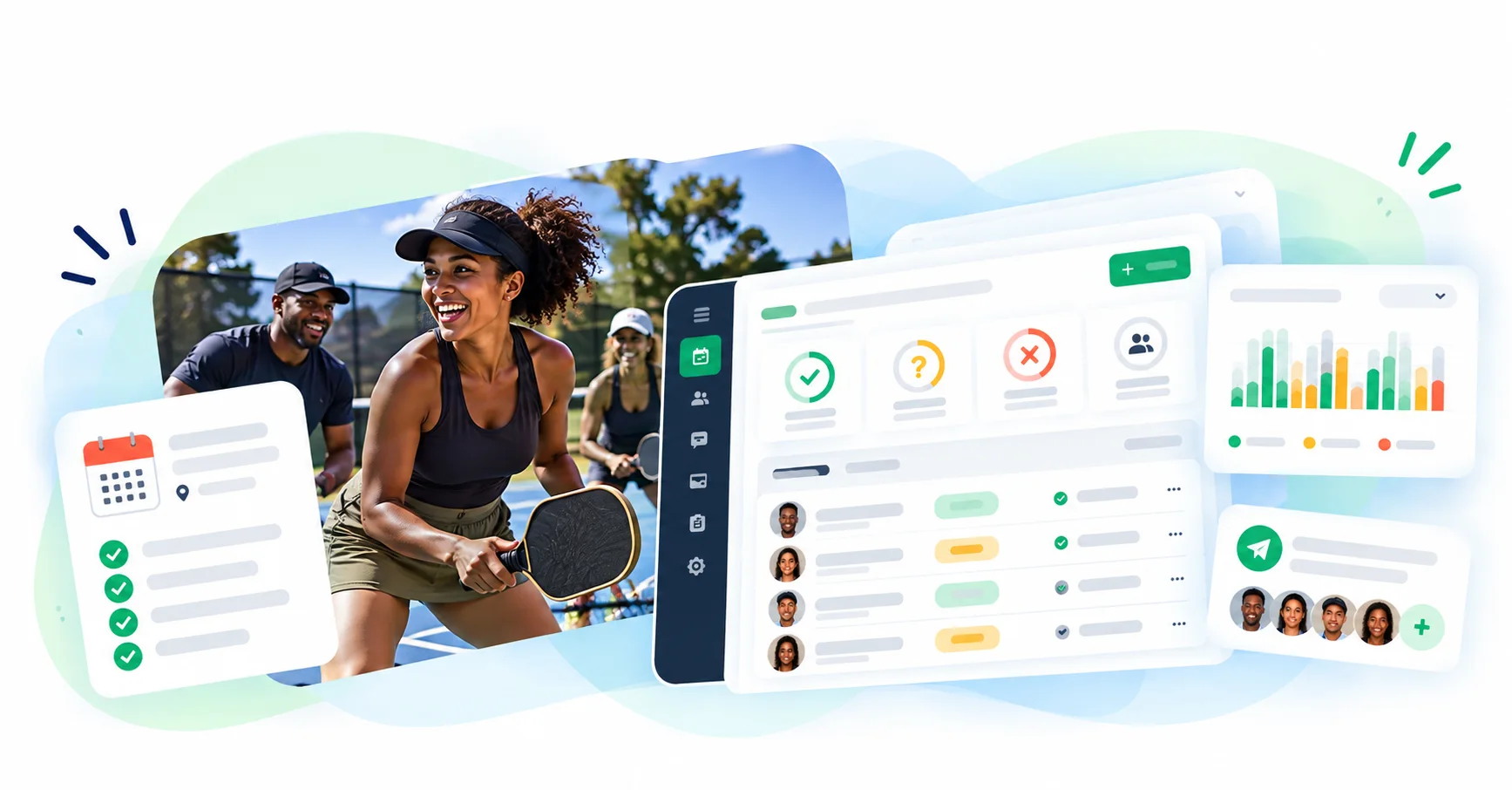
Your RSVP dashboard updates in real time so you always have an accurate headcount.
Confirmed, Waitlisted, Maybe
See every response at a glance. No more cross-referencing group chats and texts.
A Waitlist That Fills the Gap
Set a cap and the waitlist kicks in automatically. No awkward "sorry, we're full" messages.
Message Everyone at Once
Need to change the time or share a location update? One message reaches every confirmed attendee.
Real Results From Real Organizers
Sarah M.Book Club Organizer "I used to spend my entire Sunday texting 20 people to see who could make Tuesday's book club. Now I send one link and know exactly who's coming by Monday morning."
18 of 20 members RSVP within 24 hours
Mike R.Basketball Organizer "Before this, I'd show up to the court not knowing if we'd have 4 people or 12. Last week all 10 spots filled by Monday night. Perfect run. Zero stress."
10 out of 10 spots filled 3 days early
Works Even If...
Your friends hate downloading apps
Guests don't need an account or an app. Your event link works in any browser on any device. They click, they confirm, done.
You're not tech-savvy
If you can send a text, you can create an event. The whole setup takes 90 seconds.
Your group is "too small" for this
We power 3-person coffee chats and 500-person tournaments. Whether it's 5 or 500, knowing who's in matters.
One account does the rest of the work too.
Each of these is part of the same Gametime Hero account, so nothing has to be copied from one tool to the next.
Built for organizers like you.
- $1.5M+ Processed through Gametime Hero
- 11,500+ Members & players
- 11,000+ Registrations & RSVPs
Organizers who run on Gametime Hero
These organizers are talking about Gametime Hero as a whole, which they run their communities on.
“When my events stopped working on Wix, Gametime Hero had me up and running in less than 48 hours.”
Juliana MasciFounder, Tool School Co. ChicagoSwitched from WixSwitched in less than 48 hours
Read the case study“We used to spend more time managing tools than managing our community. Now we spend that time on what actually matters: getting women outside and building something they want to come back to.”
Donna Kent & Mindi JensonShe Ascends Visit sheascends.org“I'm a bar owner, not a software person, and I shouldn't have to be. What's changed with Gametime Hero in such a short time is worth celebrating. They even added our Watch Me! theme song to our site. Now I spend my time on what we're building: a room where women's sports fans feel like they belong.”
Jax DienerOwner, Watch Me! Sports Bar Visit watchmesportsbar.com“I believe our integration of Gametime Hero will make it significantly easier and less time-consuming for our logistics volunteers, while providing a far better experience for our players. After all… WE JUST WANT TO PLAY!”
Pat WalkerSecretary, Bigfoot Walk Soccer Club Visit bigfootwalksoccer.com
What events cost: $0 to start.
Public events, RSVPs and a shareable link are on the Free plan, and you can schedule up to 90 days ahead. Recurring events, waitlists, announcements and text reminders are part of Organizer Pro.
The Free plan costs $0, needs no payment card and never expires. Organizer Pro is $19.99/mo.
Every paid plan comes with a 30-day money-back guarantee. There are no contracts: you can cancel any time from your subscription settings. Your data is always yours to export.
See Gametime Hero pricingFrequently asked questions
How do I move my existing group over?
There is no one-click import yet, but moving over is quick: recreate your community, bulk-invite your members by email or share a join link, and post your events. We help groups make the switch all the time.
Get free setup helpDo I need to download an app?
No. Gametime Hero runs in the browser on a phone or a computer, and the people you invite open your link the same way. There is no mobile app to install yet; one is in the works.
Is there a contract?
No contracts. The Free plan never expires, and a paid plan can be cancelled any time from your subscription settings, with no penalties.
Is there a money-back guarantee?
Yes. Every paid plan comes with a 30-day money-back guarantee. If it is not the right fit, we will refund you, no questions asked.
Can I export my data and take it with me?
Yes. Your data is always yours to export, and if you cancel we will help you export all of it first.
Built by community people, for community people
We built Gametime Hero because we needed it too.
We’ve seen the problem from both sides — as participants looking for places to belong, and as organizers doing the work to bring people together.



Home

Messages